
Security and concierge patrols, all at your fingertips.
For security firms, concierge and guarding services: guards log checkpoints with their phone, the control room sees live patrols and is alerted if a scheduled patrol doesn't start, and each client sees its own sites.
Your security service, organized
Inspection and night patrols
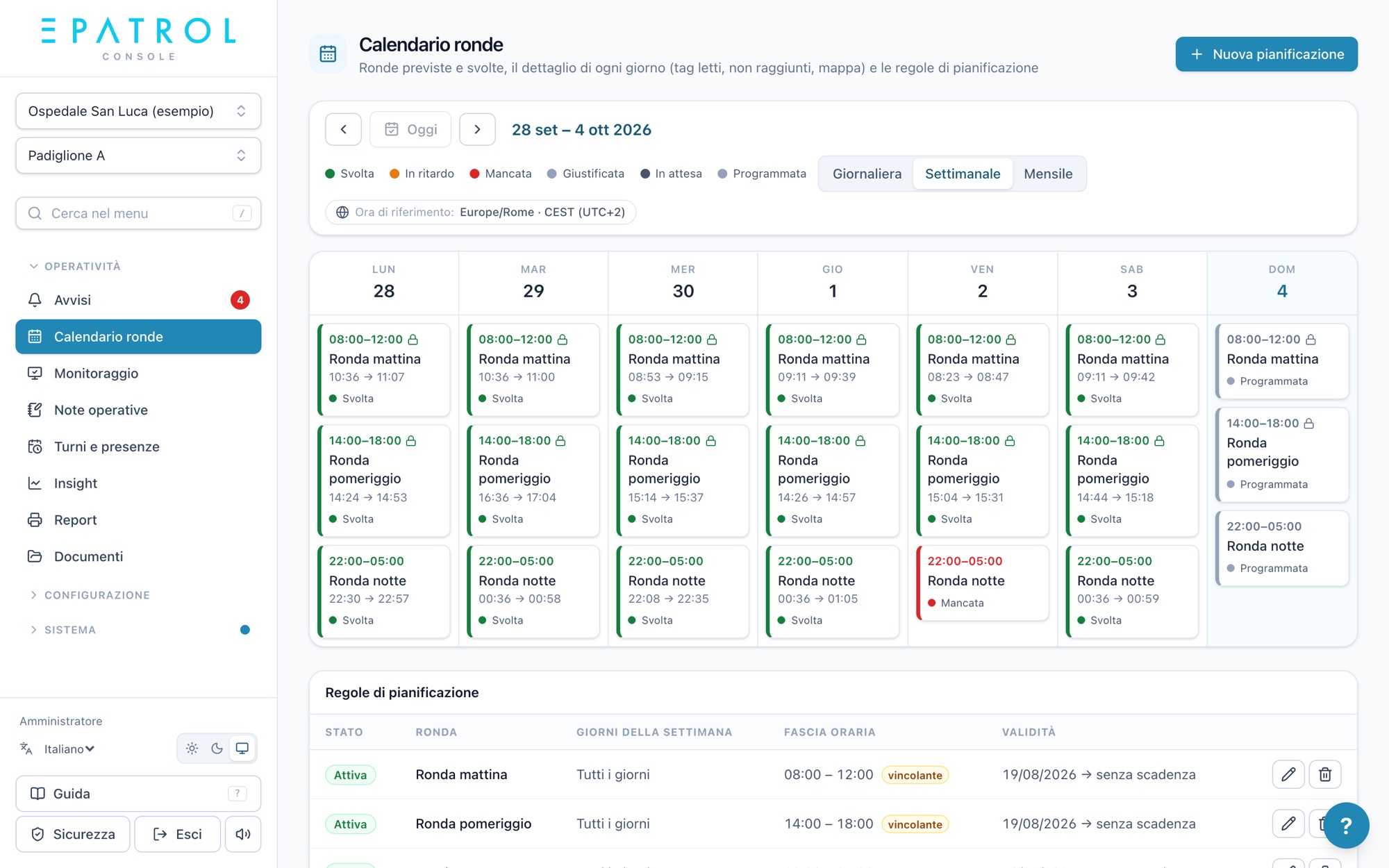
Routes with their own tags and time windows, even across midnight, counted on the right day.
Alerts to the control room
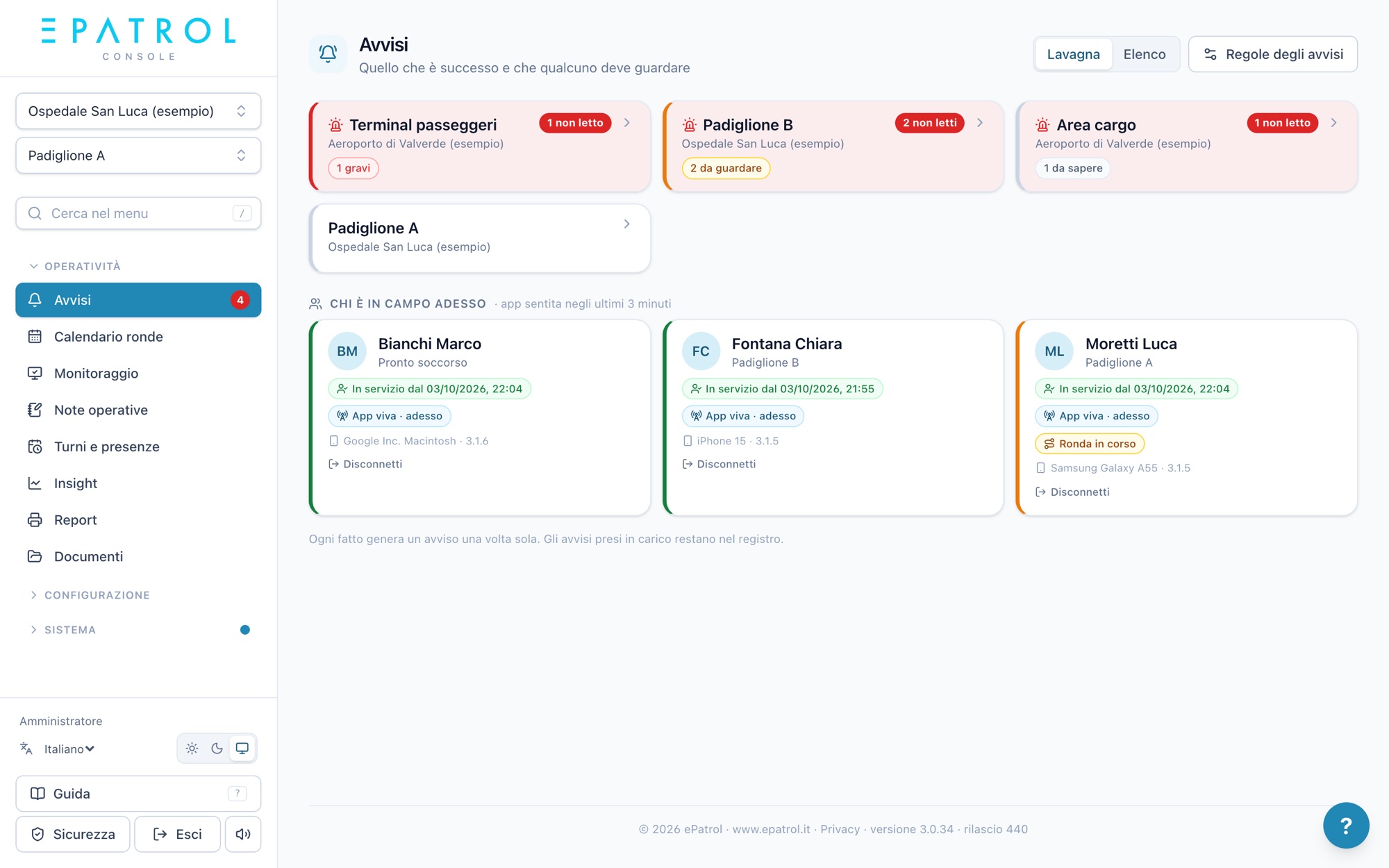
A patrol that doesn't start, an uncovered shift, a checkpoint not reached: the alert arrives right away, in the console, by email and on the phone.
More clients, more sites
All your sites in one console. Each client has its own access and sees only its own data.
Shifts and attendance
Rotations set up once or imported from Excel, cover arranged from the phone, hours ready for payroll.
Teams and service phones
Several guards on the same patrol, and several people going on duty from the site's phone.
Reports for the client
A summary of the period's patrols and issue reports, as a PDF with the contract's logo.
From site to control room, in real time
- 01
Tags at patrol checkpoints
Fit NFC tags along the route and set up patrols with their time windows.
- 02
The guard walks by with the phone
Hold the phone near each tag: the visit is logged with time and position, even offline.
- 03
The control room follows everything
Patrols in progress, checkpoints read, issue reports and who's on duty, updated in real time.
- 04
The client stays informed
With their own access they see completed patrols and receive reports, with no need for phone calls.
Respect for the people at work
Position is recorded only when a tag is read or someone clocks in, not throughout the shift. Everyone sees their own data, roles and permissions are set per contract, and data is stored on servers in Europe.
Privacy notices for each role, accepted at first login, and an activity log in the console.
A patrol, from start to send
Four simple steps, no training: here's what the operator sees on their phone.
- Hold the phone near the tagThe dot turns green: time and position are recorded, with nothing to type.
- Can't reach a point?Mark it in orange with a note and carry on. The office will know why.
- Confirm and sendBefore sending you see the summary: points read, not reached, still to do.
- It stays in the historyYou'll find it under “Sent patrols” and, within the time allowed, you can reopen and correct it.
Frequently asked questions
Is it suitable for licensed security guards?
Yes. Guards use the app on their personal phone or the site's service phone, in six languages, even offline.
Can the client see the patrols?
Yes. Each client has console access to its own sites only: completed patrols, issue reports and reports.
Does it replace a traditional guard tour reader?
Yes. Instead of a reader to download every evening there's the phone, which sends checkpoints on its own and alerts you right away if a scheduled patrol doesn't start.
Fire safety services, sector by sector
Fire safety service
Patrols, checks on extinguishers, fire doors and hydrants, teams and the inspection log: the overview page.
Fire safety in hospitals
Wards and buildings, fire doors, a covered team every shift, a summary for the facility.
Fire safety at airports and heliports
A clear crew on every shift, going on duty from the app, weather alerts for the site.
Fire safety in industry
Plants, refineries and depots: patrols even with no signal, teams, 24/7 shifts.
Fire safety at universities and public bodies
Multiple buildings in one console, opening and closing rounds, logged checks, reports for the body.
Fire safety service tenders
For companies bidding on tenders: concrete commitments to put in your technical bid.
Hospitals, airports and universities where ePatrol supports the service every day. See our references
Shall we see together how it can help you?
We'll show you ePatrol on your own sites and patrols, with no commitment.
Get in touch