
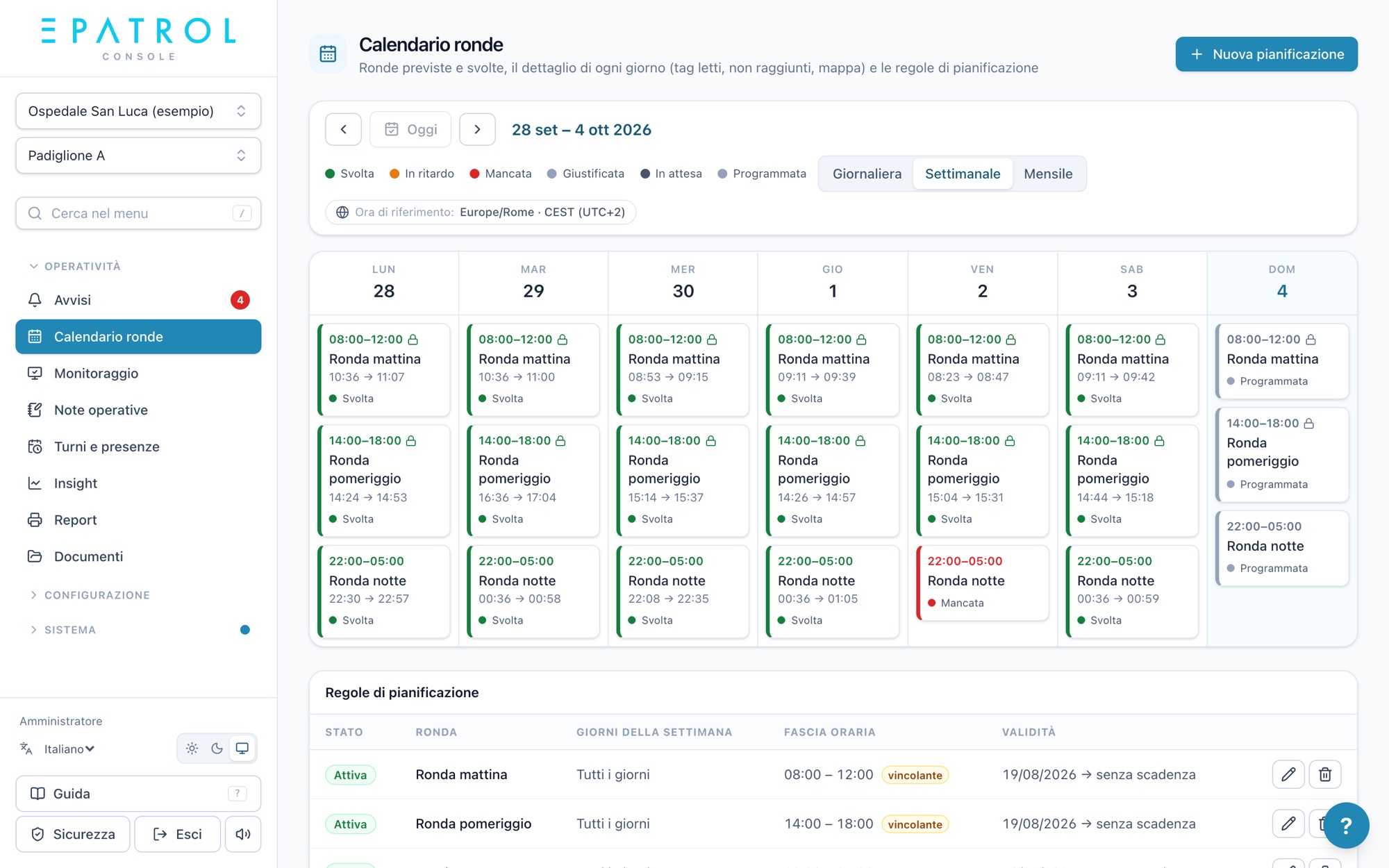
The fire safety service at every building, told day by day.
For companies providing fire safety and cover services at universities, schools and public offices, and for the bodies that contract them out: multiple buildings in one console, logged checks, issues to the maintainer and reports ready for the tender specifications.
Many buildings, one overview
Multiple buildings, one console
All your buildings in one place, each with its own patrols, shifts and alerts.
Opening and closing
Patrols when buildings open and close, with each building's time window and an alert if a patrol doesn't start.
Fire safety equipment surveillance
Extinguishers, fire doors, emergency exits and emergency lighting, with the questions you choose and a photo when needed.
Issue reports to the technical department
Anything wrong reaches the assigned maintainer, with a photo, and stays open until it's resolved.
Documents for each building
Floor plans, emergency plans and instructions for each building, with a record of who has read them.
The body sees the service
The body's contact person has their own access and views patrols, issue reports and reports for their own buildings.
From the building to the body's contact person
- 01
Buildings and tags
Add buildings as sites and fit NFC tags at the points to check.
- 02
Patrols with time windows
Set up opening, closing and surveillance patrols with their time windows.
- 03
Staff in the field
They walk by with their phone, fill in the checks and report issues with a photo, even in basements.
- 04
The report for the tender specifications
The period's summary by building, in PDF or Excel, ready for the body.
Fire safety surveillance, on record
In Italy, DM 2 settembre 2021 requires fire safety surveillance to be organized in the workplace, and DM 1 settembre 2021 governs periodic checks on fire safety equipment. With ePatrol every surveillance round and every check is logged with date, time, point and operator: the period's summary is ready for the technical department and the safety manager.
ePatrol works alongside the company providing the service and the body's technical department, helping them keep everything in order.
A patrol, from start to send
Four simple steps, no training: here's what the operator sees on their phone.
- Hold the phone near the tagThe dot turns green: time and position are recorded, with nothing to type.
- Can't reach a point?Mark it in orange with a note and carry on. The office will know why.
- Confirm and sendBefore sending you see the summary: points read, not reached, still to do.
- It stays in the historyYou'll find it under “Sent patrols” and, within the time allowed, you can reopen and correct it.
Frequently asked questions
Our buildings are in different cities: can they be managed together?
Yes. Each building is a site with its own patrols and shifts, and they all appear in the same console; if buildings are in different countries, each one has its own time zone.
Can the body access the data?
Yes. The body's contact person can have access limited to their own buildings, to view patrols, issue reports and reports.
Can floor plans and instructions be shared with staff?
Yes. Documents are uploaded by contract and by site, and the console records who has read them.
Do I need a dedicated device?
No. All you need is an iPhone or an NFC-enabled Android smartphone, personal or company-issued.
Fire safety services, sector by sector
Fire safety service
Patrols, checks on extinguishers, fire doors and hydrants, teams and the inspection log: the overview page.
Fire safety in hospitals
Wards and buildings, fire doors, a covered team every shift, a summary for the facility.
Fire safety at airports and heliports
A clear crew on every shift, going on duty from the app, weather alerts for the site.
Fire safety in industry
Plants, refineries and depots: patrols even with no signal, teams, 24/7 shifts.
Fire safety service tenders
For companies bidding on tenders: concrete commitments to put in your technical bid.
Hospitals, airports and universities where ePatrol supports the service every day. See our references
Shall we see together how it can help you?
We'll show you ePatrol on your own sites and patrols, with no commitment.
Get in touch